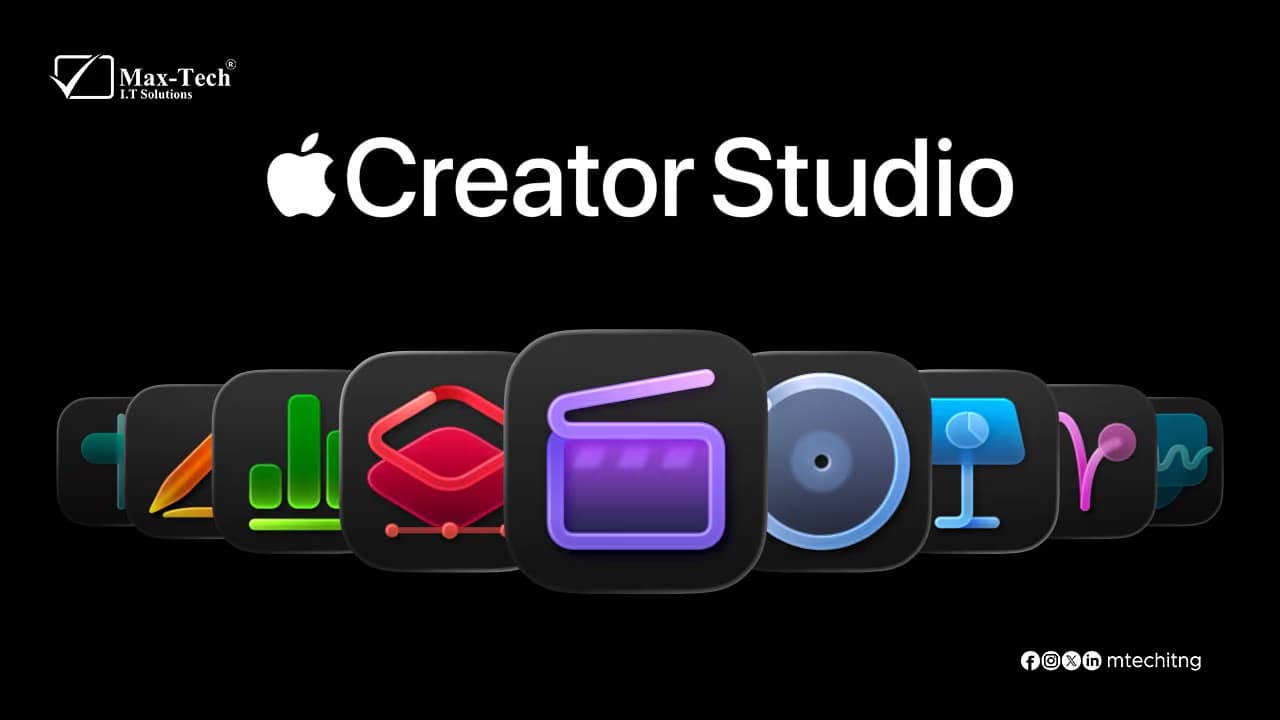

Three apps stand out for different creative workflows: Pixelmator Pro, Final Cut Pro, and Freeform.
While each app serves a different purpose, together they can form a powerful creative toolkit for designers, content creators, marketers, students, and businesses.
Pixelmator Pro: Powerful Image Editing Without the Complexity
Pixelmator Pro is Apple's image-editing application for Mac, designed for everything from photo enhancement to graphic design and digital artwork.
The app provides many of the tools professional users expect from a modern image editor while maintaining an interface that fits naturally into macOS.
What Can You Do With Pixelmator Pro?
Pixelmator Pro can be used for:
- Photo retouching and enhancement
- Removing unwanted objects from images
- Creating social media graphics
- Designing marketing materials
- Working with layers and masks
- Creating digital illustrations
- Editing RAW photographs
- Preparing images for websites
- Creating thumbnails and promotional artwork
Its integration with Apple's operating system also makes it convenient for users who regularly work with Photos, iCloud, and other Apple applications.
AI-Powered Editing
Modern versions of Pixelmator Pro include machine-learning-powered features that can automate tasks such as removing backgrounds, enhancing images, and improving photographs.
This can be particularly useful for businesses and content creators who need to produce professional-looking graphics quickly.
Who Is Pixelmator Pro For?
Pixelmator Pro is particularly useful for:
- Graphic designers
- Photographers
- Social media managers
- Marketing teams
- Content creators
- Small businesses
- Mac users who need advanced image editing
For users who don't need the full complexity of a large professional design suite, Pixelmator Pro can provide a more approachable workflow.
Final Cut Pro: Professional Video Editing on Mac
If Pixelmator Pro handles images, Final Cut Pro is Apple's professional solution for video production.
Final Cut Pro is designed for editing everything from YouTube videos and social media content to documentaries, commercials, and professional productions.
A Professional Editing Workflow
Final Cut Pro provides a wide range of tools for managing and editing video projects, including:
- Magnetic Timeline
- Multicam editing
- Advanced color correction
- Audio editing
- Motion graphics integration
- Video effects
- HDR workflows
- Captions and subtitles
- 360-degree video editing
- ProRes support
One of its defining features is the Magnetic Timeline, which helps editors organize clips without constantly worrying about manually managing gaps and track positions.
Performance on Apple Silicon
Final Cut Pro is also optimized for Apple's silicon-based Macs.
The combination of Apple's hardware and software optimization can make tasks such as video playback, rendering, and exporting significantly more efficient on supported Macs.
This makes Final Cut Pro particularly attractive to creators who work with high-resolution footage.
Who Is Final Cut Pro For?
Final Cut Pro is suitable for:
- YouTubers
- Video editors
- Filmmakers
- Marketing teams
- Social media creators
- Businesses producing promotional videos
- Professional production teams
For someone who regularly produces video content, it provides a complete editing environment without requiring a third-party operating system.
Freeform: Turn Ideas Into Visual Workspaces
Unlike Pixelmator Pro and Final Cut Pro, Freeform isn't primarily a professional production application.
Instead, Freeform is designed for brainstorming, planning, collaboration, and organizing information visually.
Think of it as a digital canvas where you can place text, images, documents, links, drawings, shapes, sticky notes, and other content on a flexible board.
What Can You Use Freeform For?
Freeform can be useful for:
- Brainstorming ideas
- Project planning
- Mind mapping
- Website planning
- Content planning
- Meeting notes
- Mood boards
- Research organization
- Wireframing
- Team collaboration
Because the canvas isn't restricted to a traditional page layout, users can organize information in whatever structure makes sense for their project.
Collaboration Across Apple Devices
Freeform supports collaboration through Apple's ecosystem, allowing multiple people to work on the same board when using supported Apple devices and services.
This can make it useful for teams that need a shared visual workspace for planning projects.
How the Three Apps Work Together
The real value comes from using these applications as part of the same creative workflow.
For example, imagine you're preparing a marketing campaign for a new product.
Step 1: Plan With Freeform
Start with Freeform.
Create a board containing:
- Campaign ideas
- Target audience information
- Content concepts
- Reference images
- Website links
- Marketing messages
- Project notes
This gives the team a visual overview of the campaign.
Step 2: Create Graphics With Pixelmator Pro
Once the creative direction is established, move into Pixelmator Pro to create the visual assets.
You could produce:
- Social media graphics
- Product images
- Advertisements
- Website banners
- Promotional thumbnails
Step 3: Produce the Video With Final Cut Pro
Finally, take your campaign assets into Final Cut Pro to produce the video content.
You can combine:
- Product footage
- Graphics
- Photos
- Music
- Voiceovers
- Titles
- Transitions
- Animations
- The result is a workflow that moves from planning → design → production.
Pixelmator Pro vs Final Cut Pro vs Freeform
| App | Primary Purpose | Best For |
|---|---|---|
| Pixelmator Pro | Image editing and graphic design | Photos, graphics and digital artwork |
| Final Cut Pro | Professional video editing | YouTube, marketing and video production |
| Freeform | Visual planning and collaboration | Brainstorming, planning and idea organization |
These applications aren't direct competitors because they solve different problems.
Instead, they can complement one another.
Which App Should You Use?
Your choice depends largely on what you're trying to accomplish.
If you need to edit photos or create graphics, Pixelmator Pro is the relevant tool.
If you're producing professional video content, Final Cut Pro is designed for that workflow.
If you're trying to organize ideas, brainstorm or plan a project visually, Freeform can be the better starting point.
And if you're working on a larger creative project, you don't necessarily have to choose just one.
Using Freeform for planning, Pixelmator Pro for visual assets, and Final Cut Pro for video can create a complete creative workflow within Apple's ecosystem.
Final Thoughts
Apple's creative software ecosystem extends beyond individual applications. The real advantage comes from how different tools can fit together.
Freeform helps turn ideas into organized visual plans. Pixelmator Pro turns those ideas into polished images and designs. Final Cut Pro brings visual assets together into finished video content.
For Mac users working in design, marketing, content creation, or media production, understanding how these tools complement each other can help create a more efficient and organized creative workflow.